Every iPhone from the XS, XS Max and XR (2018) up to the iPhone 18 Pro, 18 Pro Max and iPhone Duo (2026) supports eSIM; the iPhone X and older do not. The iPhone Air and Duo have no SIM tray anywhere, the iPhone 14 to 16e have none in the US, and the 17 range, 17e and 18 Pro have none in the US, Canada, Japan, Mexico and six Gulf countries. Phones sold in China mainland and many sold in Hong Kong or Macao are the main exceptions.
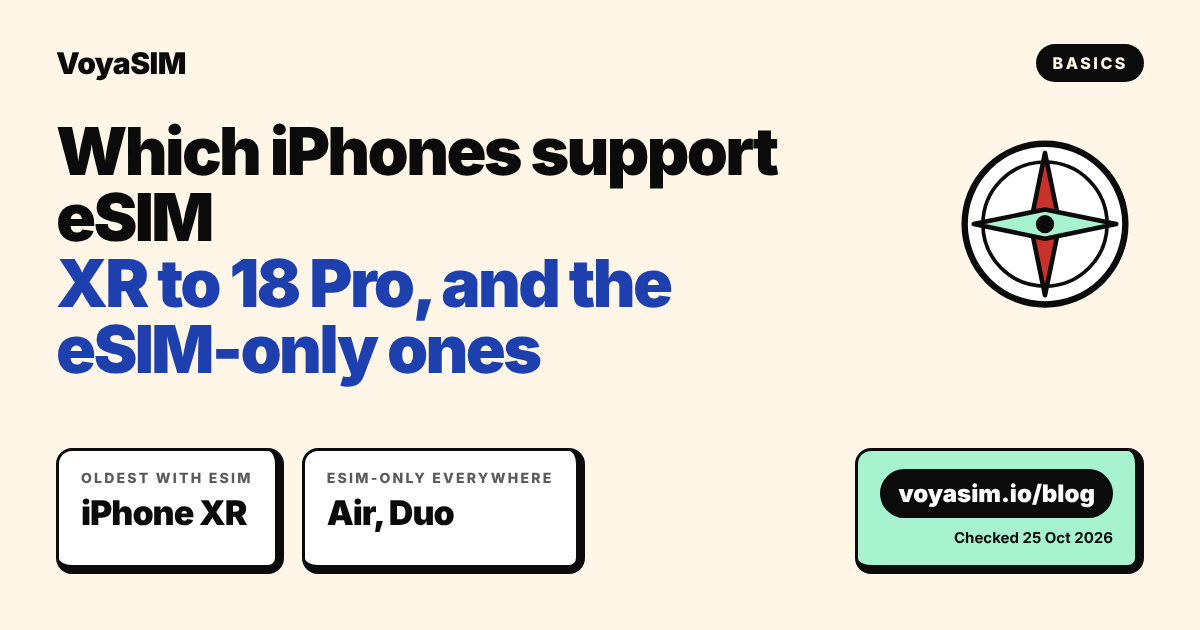
Every iPhone from the XR onward supports eSIM
Every iPhone released since the iPhone XS, XS Max and XR in 2018 supports eSIM, up to the iPhone 18 Pro, 18 Pro Max and the foldable iPhone Duo from 2026. Apple's own requirement on its eSIM setup page is one line: "An iPhone XS, iPhone XS Max, iPhone XR, or later." The iPhone X, iPhone 8 and everything older have no eSIM and can only take a physical nano-SIM. We checked on 25 October 2026 against Apple's "Identify your iPhone model" and eSIM support pages.
The second question is whether your iPhone still has a SIM tray. Some models are eSIM-only, which means a physical SIM from a shop at the airport will not fit. That depends on the model and on the country the phone was sold in, not on where you use it.
| iPhone | Year | eSIM | SIM tray |
|---|---|---|---|
| iPhone Duo | 2026 | Yes | None, in every country |
| iPhone 18 Pro, 18 Pro Max | 2026 | Yes | None in the US, Canada, Japan, Mexico and the Gulf*; tray elsewhere |
| iPhone 17e | 2026 | Yes | None in the US, Canada, Japan, Mexico and the Gulf*; tray elsewhere |
| iPhone Air | 2025 | Yes | None, in every country |
| iPhone 17, 17 Pro, 17 Pro Max | 2025 | Yes | None in the US, Canada, Japan, Mexico and the Gulf*; tray elsewhere |
| iPhone 16e | 2025 | Yes | None in the US; tray elsewhere |
| iPhone 16, 16 Plus, 16 Pro, 16 Pro Max | 2024 | Yes | None in the US; tray elsewhere |
| iPhone 15, 15 Plus, 15 Pro, 15 Pro Max | 2023 | Yes | None in the US; tray elsewhere |
| iPhone 14, 14 Plus, 14 Pro, 14 Pro Max | 2022 | Yes | None in the US; tray elsewhere |
| iPhone SE (3rd generation) | 2022 | Yes | Tray |
| iPhone 13, 13 mini, 13 Pro, 13 Pro Max | 2021 | Yes, two active eSIMs | Tray |
| iPhone 12, 12 mini, 12 Pro, 12 Pro Max | 2020 | Yes | Tray |
| iPhone SE (2nd generation) | 2020 | Yes | Tray |
| iPhone 11, 11 Pro, 11 Pro Max | 2019 | Yes | Tray |
| iPhone XS, XS Max, XR | 2018 | Yes | Tray |
| iPhone X, 8, 8 Plus and older | 2017 and earlier | No | Tray only |
*Apple's Gulf list for these models is Bahrain, Kuwait, Oman, Qatar, Saudi Arabia and the United Arab Emirates. The same no-tray versions are also sold in Puerto Rico, Guam and the U.S. Virgin Islands.
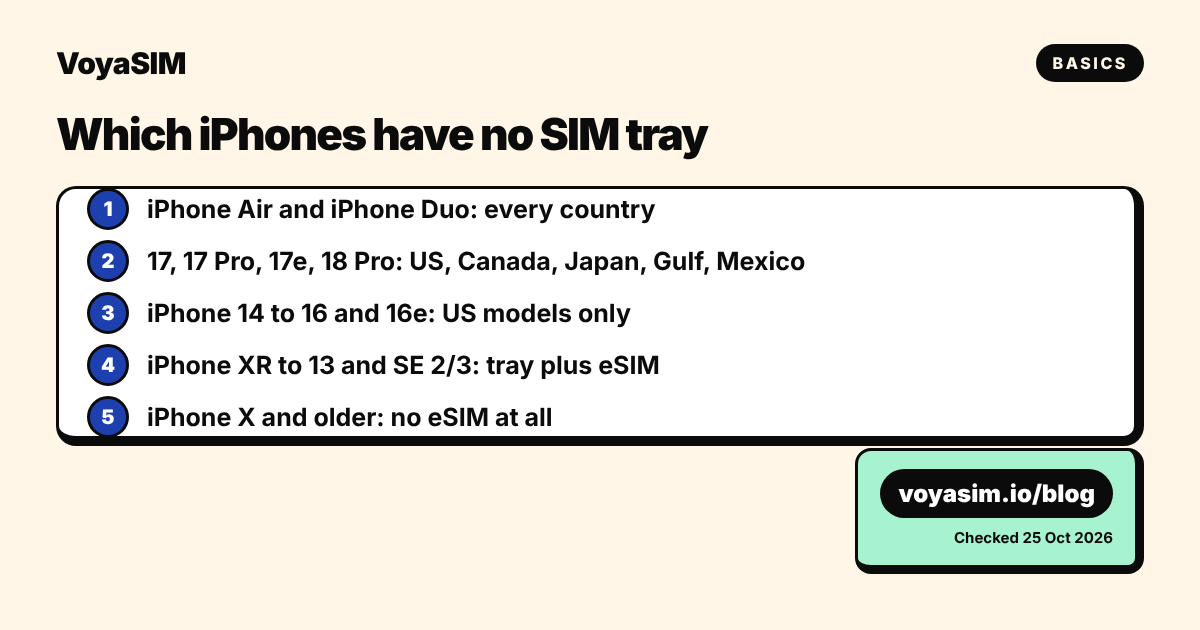
Two exceptions change this list, and both are covered further down. iPhones sold in China mainland mostly have no eSIM. Many iPhones sold in Hong Kong and Macao use two nano-SIM cards instead of eSIM.
Why some iPhones have no SIM tray at all
Apple removed the SIM tray in stages, and the country where the phone was sold decides which version you have. The US got eSIM-only iPhones first, starting with the iPhone 14 in 2022. With the iPhone 17 in 2025, the eSIM-only version expanded to Canada, Japan, Mexico and six Gulf countries. The iPhone Air (2025) and the iPhone Duo (2026) have no tray anywhere in the world.
This matters less than it sounds for travel. A travel eSIM is installed by scanning a QR code, so a phone with no tray loses nothing. What you lose is the option to buy a physical SIM card at the destination. If you own a US iPhone 15 and planned to pick up a SIM at Tokyo airport, it will not fit. A downloaded eSIM will.
The number of eSIMs is the other difference between generations:
| Feature | iPhone XS to 12, SE 2 and 3 | iPhone 13 and later |
|---|---|---|
| eSIMs stored | Several | Eight or more |
| Active lines at once | Two: one physical SIM plus one eSIM | Two: any mix, including two eSIMs |
| Keep a US eSIM-only home line plus a travel eSIM | Not applicable (these have trays) | Yes |
| Data lines used at the same moment | One | One |
Apple's Dual SIM page states that iPhone 13 models and later "support Dual SIM with two eSIMs, in addition to a physical SIM and an eSIM". On any model, only one line carries mobile data at a time. You choose which one in the settings.
How to check your iPhone in 60 seconds
The fastest check takes three taps. Do it at home, on Wi-Fi, before you buy any plan.
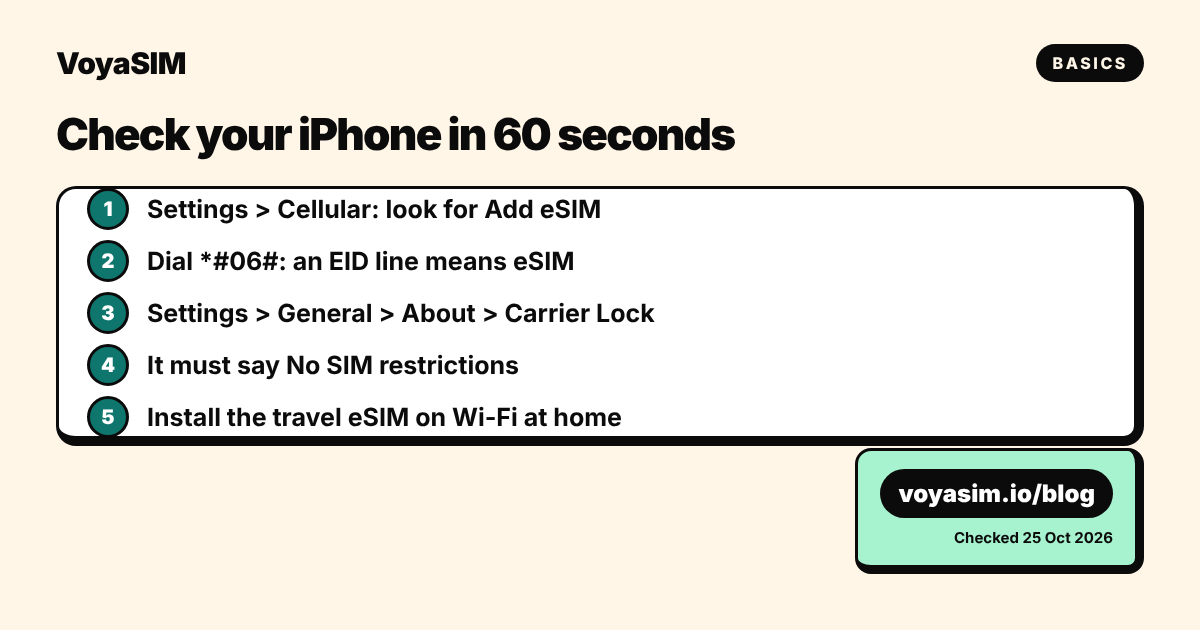
- Look for the eSIM option. Open Settings > Cellular (Settings > Mobile Data in the UK and some other regions). If you see "Add eSIM" or "Add Cellular Plan", your iPhone supports eSIM.
- Confirm with the EID. Open the Phone app and dial
*#06#. If the screen shows an EID line next to the IMEI, the phone has an eSIM chip. You can also find it in Settings > General > About, under "EID". - Find your exact model. Settings > General > About shows the model name. Tap the "Model Number" field once to see the number that starts with "A" (for example A3257). Apple's "Identify your iPhone model" page lists which country version each A-number is.
- Check the carrier lock. In Settings > General > About, scroll to "Carrier Lock". It must say "No SIM restrictions". If it names a carrier, the phone only accepts that carrier's lines, including eSIMs, and you need to ask that carrier to unlock it before the trip.
- Check the iOS version. Settings > General > Software Update. Any recent iOS works with a travel eSIM. iOS 26 adds a step that asks whether a new eSIM is for home or for travel.
If you also travel with an Android phone, the equivalent check is Settings > Network & internet > SIMs on a Google Pixel, or Settings > Connections > SIM manager on a Samsung Galaxy. Look for "Add eSIM" or "Download a SIM instead". Our short guide Is my phone eSIM compatible? covers both platforms in one page.
Edge cases: China, Hong Kong, locked and second-hand iPhones
Four situations break the simple "XR or later" rule. Check whether one applies to you before you pay for a plan.
iPhones bought in China mainland. Apple states that in China mainland "only iPhone 18 Pro, iPhone 18 Pro Max, iPhone Duo, iPhone 17e, and iPhone Air support eSIM". All other China mainland models, including the iPhone 17, 17 Pro and 17 Pro Max, use two physical nano-SIM cards and cannot install a travel eSIM. The 18 Pro, 18 Pro Max and 17e from China mainland take either an eSIM or a nano-SIM. The Air and Duo are eSIM-only there too. If the phone shows no "Add eSIM" option, this is the likely reason.
iPhones bought in Hong Kong or Macao. Many models from the XS Max and XR through the iPhone 16 Pro Max were sold there with two nano-SIM slots and no eSIM. Apple lists the Hong Kong and Macao models that do support eSIM as the iPhone XS, 12 mini, 13 mini, SE (2nd and 3rd generation), 16e, the whole 17 and 18 Pro range, Air and Duo. The settings check in the section above gives you the answer in seconds.
Carrier-locked phones. A phone on a contract or a payment plan may be locked. Apple's travel eSIM page is direct about it: "To use your iPhone with another carrier when traveling internationally, your iPhone cannot be locked to a carrier." An eSIM bought for a locked phone will install but not connect. Ask your carrier to unlock it at least a week before you fly, because some carriers need several days.
Second-hand and refurbished iPhones. The model number tells you the country version. A US iPhone 14 to 16 bought used in Europe has no tray, even though the same model sold in Europe does. A Chinese-market iPhone 15 resold abroad has no eSIM at all. Check the A-number before buying a used phone you plan to travel with.
One thing that is not an edge case: an eSIM-only iPhone does not give up your home number. You keep the home line on one eSIM and add the travel eSIM as a second line. Calls and texts to your home number still reach you if you leave that line switched on, and iMessage and FaceTime keep working on it even with only the travel line active, according to Apple. Our guide on keeping your phone number while abroad shows the settings.
What we could not verify on 25 October 2026: Apple has not published a standard iPhone 18 yet. Its model page lists only the 18 Pro, 18 Pro Max, Duo and 17e as 2026 models. We will add the next models when Apple's page lists them.
Staying online abroad
If your iPhone is an XR or newer and unlocked, a travel eSIM gives you local data on arrival without touching your home line. For a trip across several continents, the VoyaSIM Global plan with 3 GB for 30 days costs $22.80 and covers 117 countries. For Europe only, the Europe 5 GB plan for 30 days costs $6.80 across 35 countries. Prices were read from the live VoyaSIM catalogue on 25 October 2026 and are in US dollars.
Install the eSIM at home on Wi-Fi the day before your flight. The plan's validity starts at its first connection to a network at your destination, not at installation. You can see every multi-country option on the Global eSIM page, and How do I install the eSIM on an iPhone? walks through the setup screen by screen.
By the VoyaSIM support team — we answer these questions every day for travelers in 200+ countries. Last checked: 25 October 2026.
Frequently asked questions
Does iPhone 11 support eSIM?
Yes. The iPhone 11, 11 Pro and 11 Pro Max support one eSIM next to a physical nano-SIM.
Does iPhone 12 have eSIM?
Yes. Every iPhone 12 model, including the 12 mini, supports eSIM alongside its SIM tray.
Is iPhone 17 eSIM only?
Only in some countries. iPhone 17 models sold in the US, Canada, Japan, Mexico and six Gulf countries have no SIM tray; elsewhere they have one.
Why is eSIM not supported on my iPhone?
Usually because the phone is older than the XR, was sold in China mainland or Hong Kong, or is locked to a carrier. Check Settings > Cellular for Add eSIM.
Does iPhone X support eSIM?
No. The iPhone X, 8 and older only take a physical SIM card.
Can I use a travel eSIM on an eSIM-only iPhone?
Yes. You add the travel eSIM as a second line and keep your home number on the first.
Sources & methodology
Plan prices on this page come from the live VoyaSIM catalog. Every other figure was checked against the sources below as of October 26, 2026.
- Apple Support, Set up eSIM on iPhone, read 25 Oct 2026
- Apple Support, Identify your iPhone model, read 25 Oct 2026
- Apple Support, Use eSIM while traveling internationally with your iPhone, read 25 Oct 2026
- Apple Support, Using Dual SIM with an eSIM, read 25 Oct 2026
- Apple Support, Using Dual SIM with two nano-SIM cards, read 25 Oct 2026
- VoyaSIM live package API (Global, Europe), read 25 Oct 2026